

Inputs
The same idea as Input, Source, or a camera input on other tools.
flowchart LR
  In["Input"] --> Sc["Scene"]
  Sc --> MU["Mixing Unit"]
  MU --> Out["Output"]
| Role | |
|---|---|
| Input | A video source: camera, file, NDI/OMT, colour, and similar |
| Scene | Inputs stacked as layers |
| Mixing Unit | Puts Scenes on Preview/Program; CUT, AUTO, or T-bar switches them |
| Output | Sends the chosen source over NDI/OMT |
An Output’s source can be an Input, a Scene, Mixing Unit Preview/Program, or a Multiview. The default is Mixing Unit Program.
Inputs can also sit directly on a Mixing Unit or an Output.
Add them from Inputs in the main window.
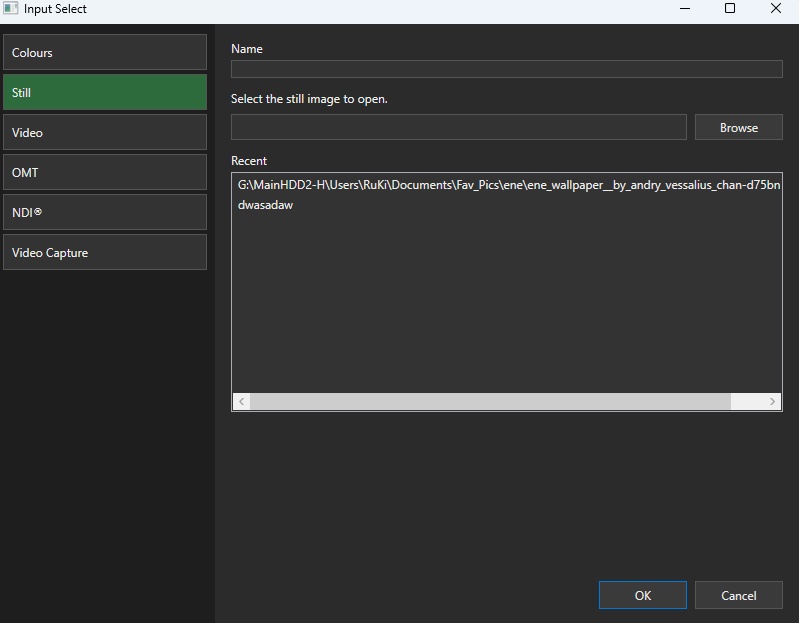
- Colour / bars / black
- Still
- Video file
- UVC (capture device)
- NDI/OMT
- Mix (Mixing Unit Preview/Program, or a session Multiview, plus a 1–8 frame buffer)
A Mix Input is a delayed reroute of an existing bus. It reads N frames ago from the FrameDelay ring and does not add a swapchain. The same Mixing Unit cannot use a Mix Input that targets itself. Nested M/E (Mix of unit A on unit B) is stable with that delay. Mix audio is a delayed copy of one selected Audio Bus, or silence if None.
Use an Input as a Scene layer, a Mixing Unit bus, a Multiview tile, or an Output source.
Input preview is a GPU readback thumbnail and does not use the video output destination window limit.
An Input can have more than one tag. Tags stay in the session catalog, and unused tags still appear as tabs.
Assign
Section titled “Assign”In Add / Edit Input, check the tags to assign. You can add a new tag from the same dialog.
One Input can hold several tags.
Filter the list
Section titled “Filter the list”Tabs sit above the Inputs list. Pick one to show matching Inputs.
- All — every Input
- Each tag — Inputs with that tag
- Kind — Colours / Still / Video / OMT / NDI® / UVC / Mix
Manage tags
Section titled “Manage tags”Right-click the tab strip to add, rename, or delete a tag.
- Rename follows through on every Input that had the old name
- Delete removes the tag from those Inputs. If you were on that tab, the list returns to All
Detail is in Scenes, Mixing Unit, and Outputs.
Latest: v0.3.0