

Scenes
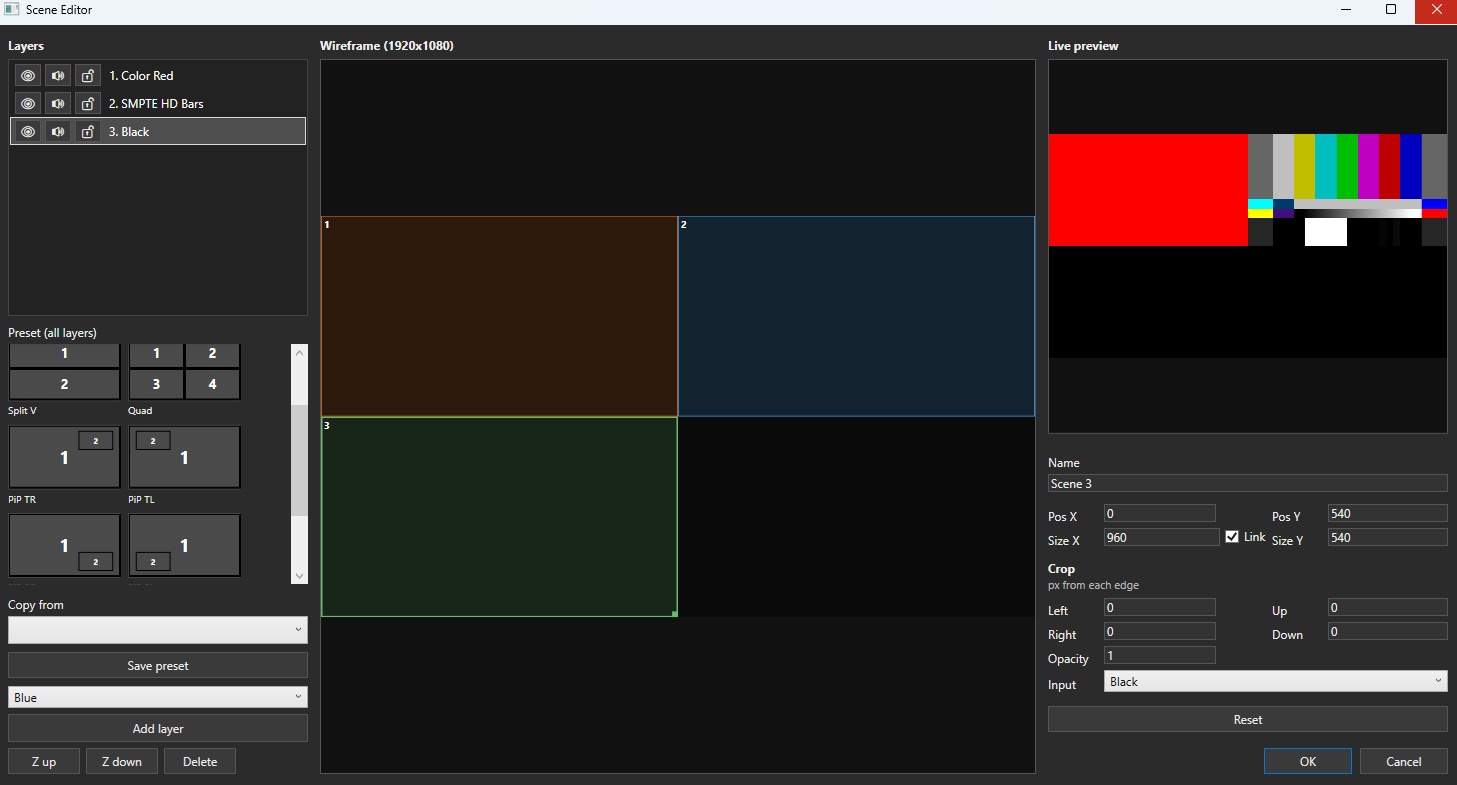
Inputs stacked as layers.
Add one from Scenes. Edit chooses the Inputs, plus position, size, opacity, and order.
Audio Follow on a layer ties that Input’s sound to the picture.
Where it goes
Section titled “Where it goes”Use it on a Mixing Unit bus, as an Overlay source, on a Multiview tile, or as an Output source.
Camera
Section titled “Camera”A Scene has one camera: a center (X, Y) and a zoom from 1x to 8x. It moves the view over every layer at once, so you frame a busy layout without editing each layer.
The camera only changes where each layer is drawn. Each source is still sampled from its own texture, so zooming in does not soften the picture. Detail is lost only when the zoom enlarges a source past its own pixels.
Drag empty space inside the frame to pan, or its corner to zoom. A drag on a layer moves that layer. A State can store a camera, and a Sequence moves between them. The Animation window edits the selected state’s layout and camera while you watch the preview. Its − and + buttons, and the mouse wheel, show layers that sit outside the frame. Zoom eases on a logarithmic scale, so the speed feels even as it magnifies.
Tags and tiles
Section titled “Tags and tiles”A Scene can have more than one tag. Tags stay in the session catalog, and unused tags still appear as tabs.
Assign
Section titled “Assign”In Scene Editor, check the tags to assign. You can add a new tag from the same dialog.
One Scene can hold several tags.
Filter the list
Section titled “Filter the list”Tabs sit above the Scenes list. Pick one to show matching Scenes.
- All — every Scene
- Each tag — Scenes with that tag
The Mixing Unit switcher window can filter with the same tabs.
Manage tags
Section titled “Manage tags”Right-click the tab strip to add, rename, or delete a tag.
- Rename follows through on every Scene that had the old name
- Delete removes the tag from those Scenes. If you were on that tab, the list returns to All
Collapse a tile
Section titled “Collapse a tile”Right-click the name bar to shrink width only; height stays the same and neighbors slide left. Thumbnail readback stops. When collapsed, click selects Preview and double-click opens settings. Collapse is stored in the session.
Scene-list and switcher thumbs are GPU readbacks. Adding scenes does not use the video output destination window limit. Only the live Preview/Program buses take those slots.
Latest: v0.3.0